AI CV maker : the ChatGPT-style way to write a CV, built only for CVs
Fill in your details section by section and see your CV update live beside the form. Before you download, AI polishes your summary, bullet points and skills without adding anything you did not write. No account needed to start.
Start your CVFree to fill in and preview. Pay once per CV to download the clean PDF. No subscription.
The editor is currently in Turkish.
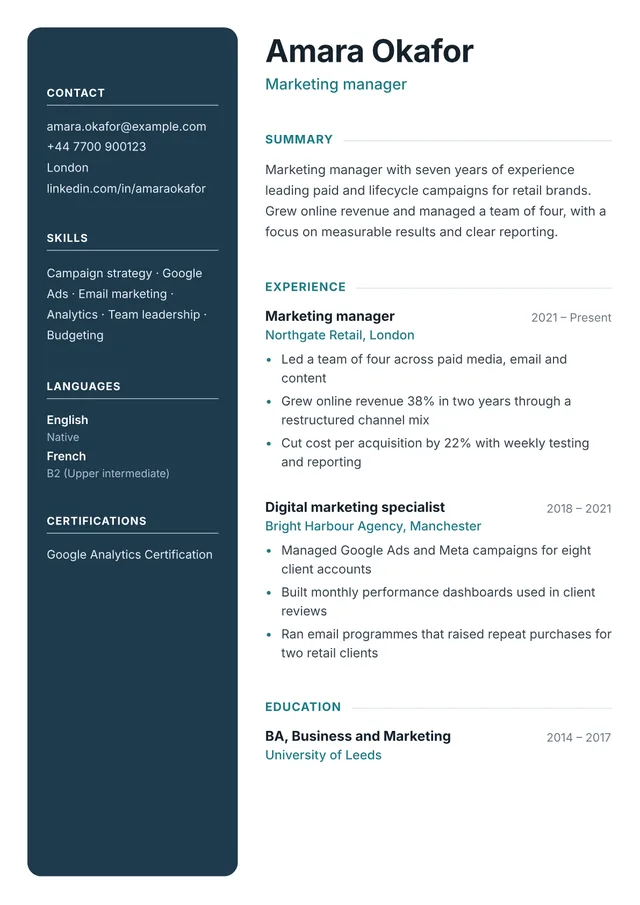
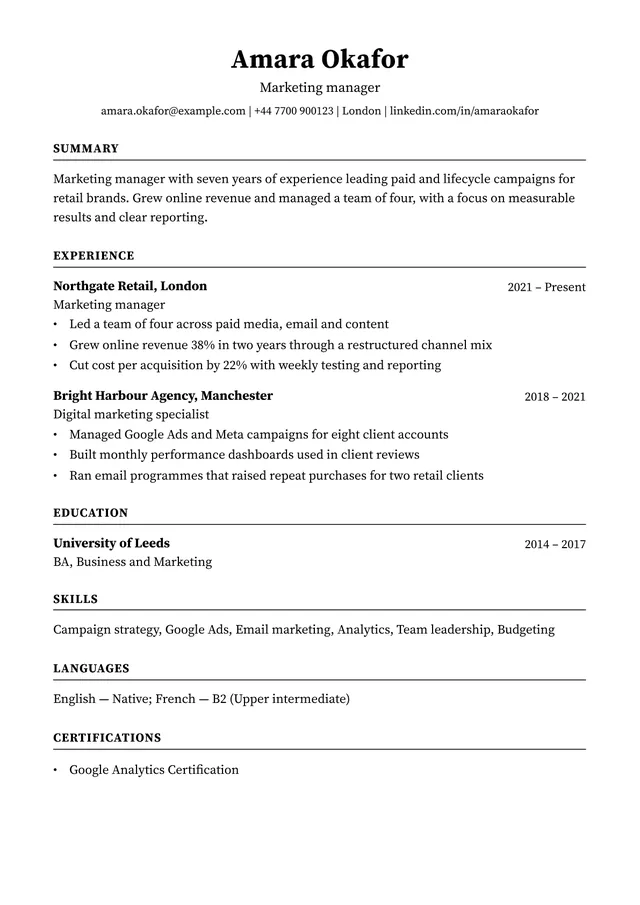
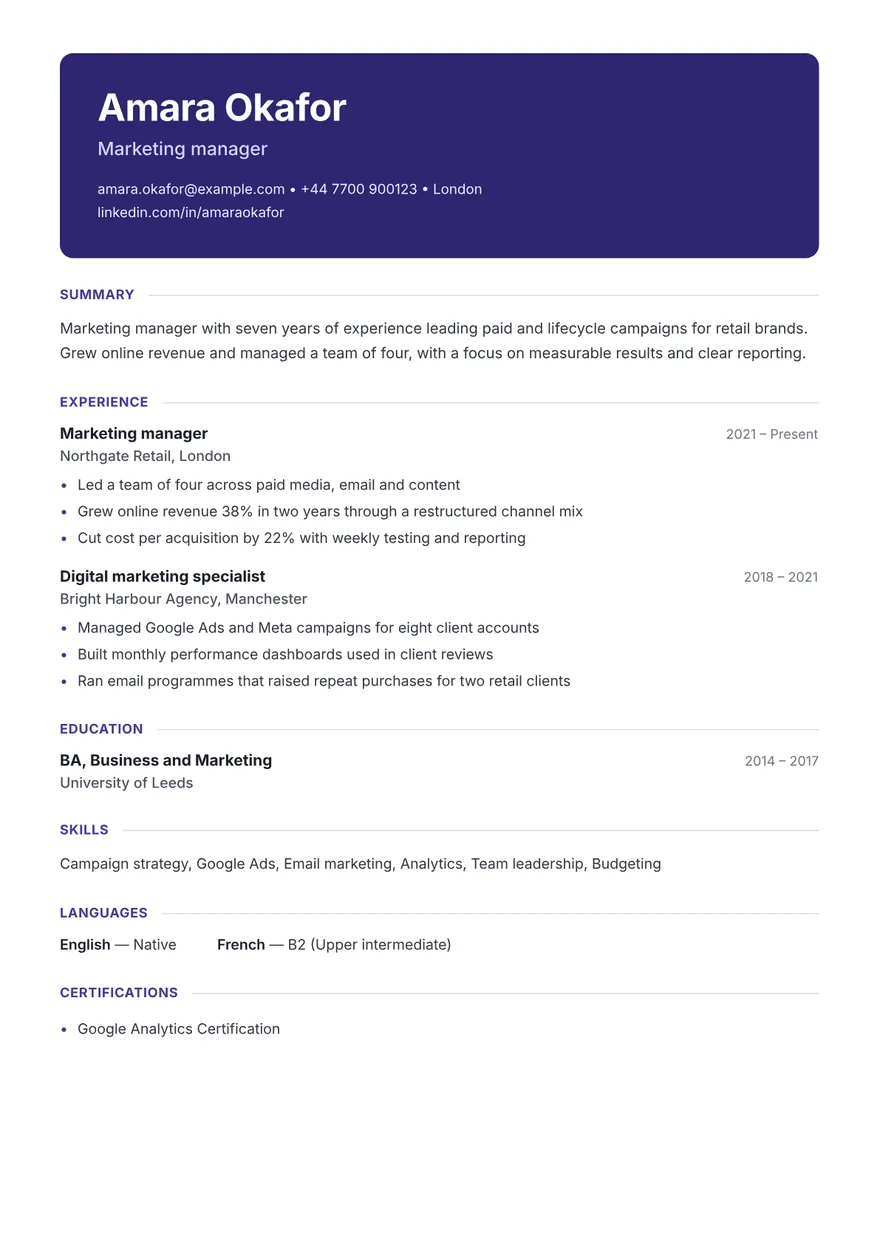
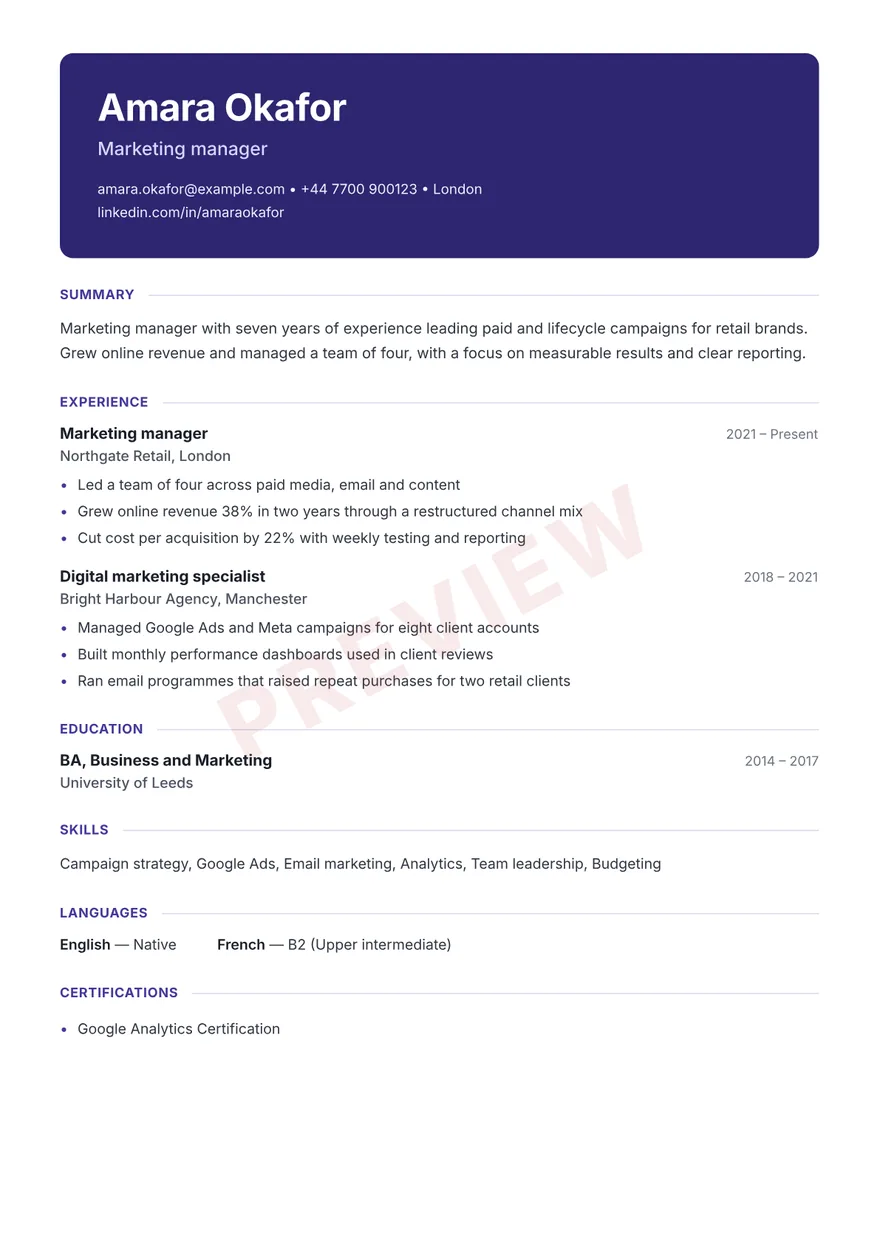
Modern, A4, sample CV (fictional)
Why people use it
-
Step-by-step forms instead of prompts
Nine short sections (personal details, contact, experience, education, skills, languages, certificates, summary and photo) ask for exactly what a CV needs, so you never have to work out what to tell a chatbot.
-
AI polish that sticks to your facts
Before the PDF is created, AI rewrites your summary, experience bullets and skills into clear CV language. It is instructed not to invent companies, dates, numbers or duties, and skills you did not enter are dropped.
-
Live preview while you type
Your CV is laid out on the page next to the form as you fill it in, so you see the finished document instead of a block of chat text.
-
A summary written for you
Leave the summary section empty and AI drafts a two-to-three sentence professional summary from the experience and skills you entered.
-
Six templates, including an ATS-friendly one
Choose between Modern, Oxford, Harvard, Europass, Two Column and Minimal. Harvard is a single-column, black-and-white layout without a photo, designed to be read cleanly by applicant tracking systems.
-
Optional photo with optional AI touch-up
Upload or take a photo if your market expects one. AI enhancement is optional: you compare the result side by side and can always keep your original.
Six templates. Same facts, different paper.
Every sheet below is real output from the product, filled with a fictional sample CV.
-
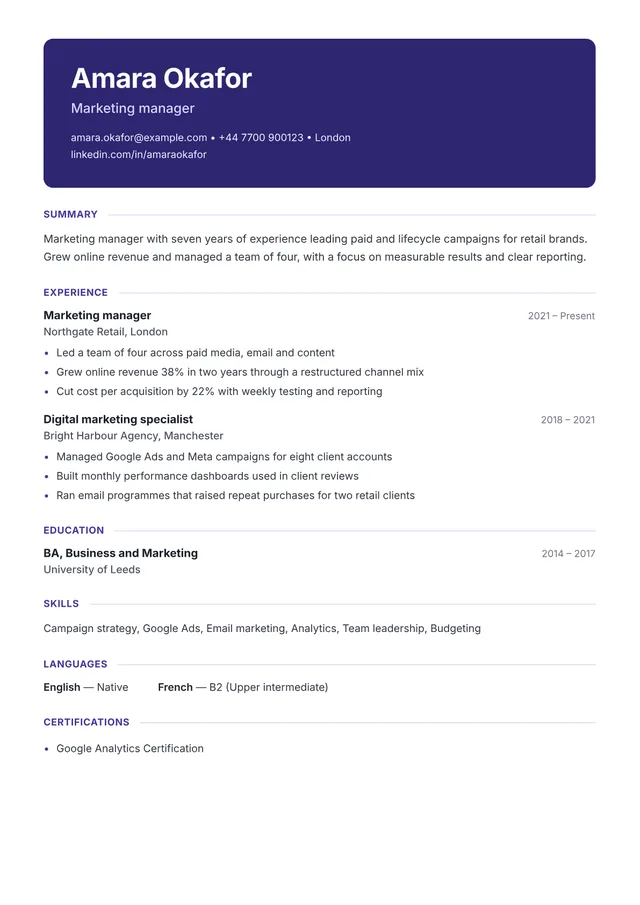
ModernViolet header block, clean single columnA4 · Modern · sheet 1 of 6 -
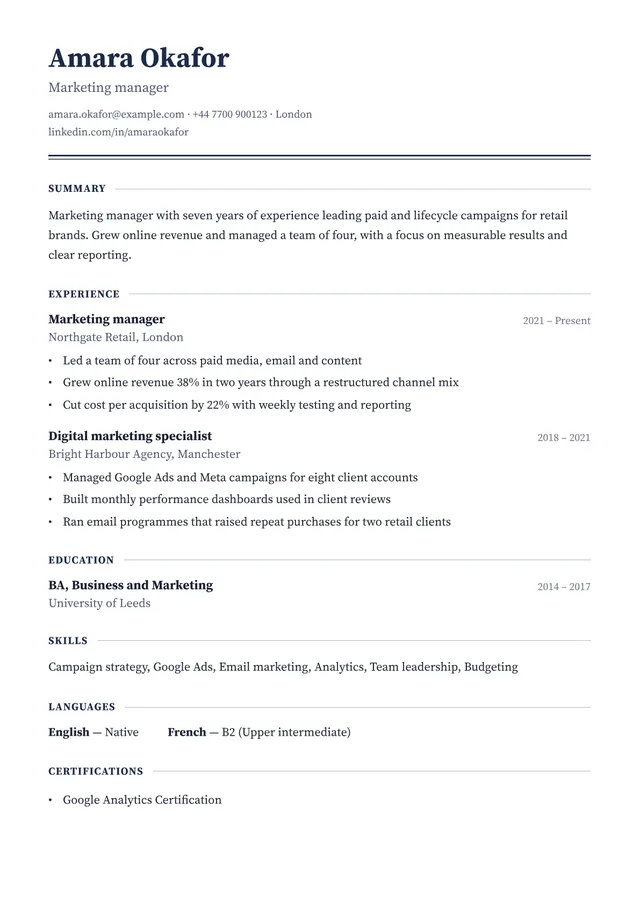
OxfordClassic serif, navy accentA4 · Oxford · sheet 2 of 6 -
HarvardBlack and white, ATS-friendly, no photoA4 · Harvard · sheet 3 of 6 -
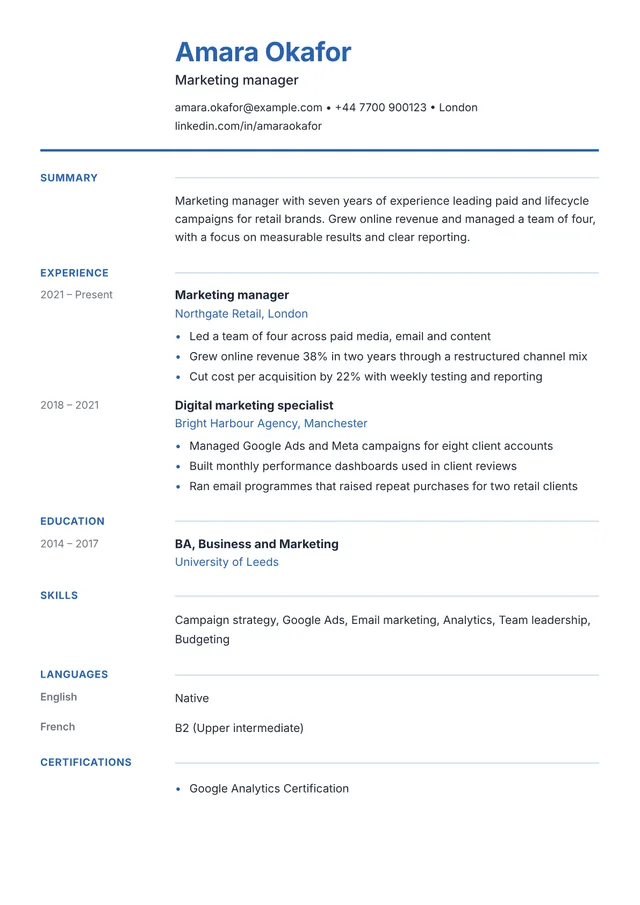
EuropassLabel column on the left, thin blue accentA4 · Europass · sheet 4 of 6 -
Two ColumnColoured side panel plus main contentA4 · Two Column · sheet 5 of 6 -
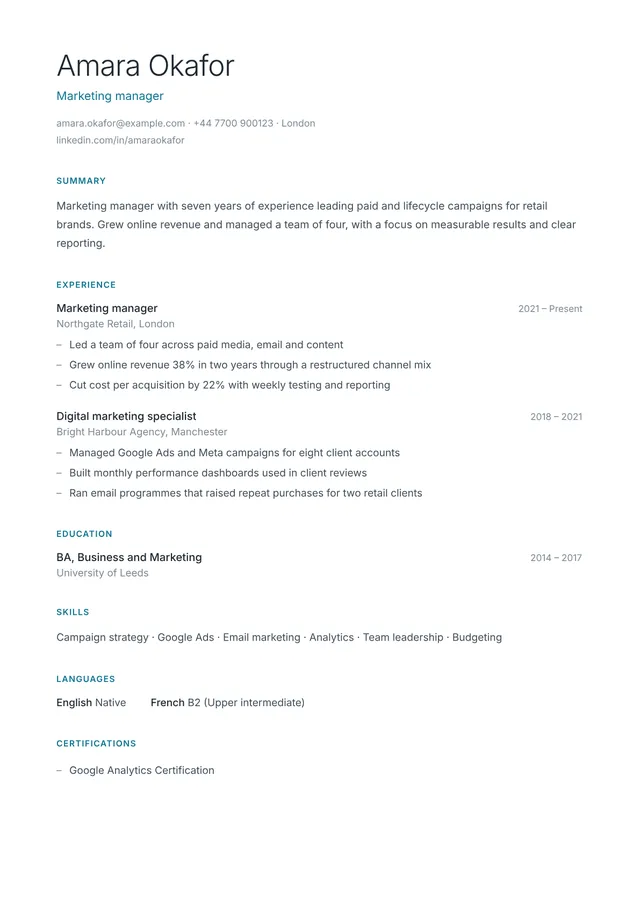
MinimalGenerous white space, light type, one accentA4 · Minimal · sheet 6 of 6
How it works
-
Fill in your sections
Start right away without an account. Your draft is saved in your browser while you add experience, education, skills and languages.
-
Pick a template and check the preview
Switch between six templates and look at a watermarked PDF preview of your CV for free.
-
Polish and download your PDF
Sign in with a one-time code sent to your email, pay once for that CV and download the clean, AI-polished PDF.
Preview free. Pay once to download.
$5
per CV, one-time payment. No subscription.
- Free
- Fill in every section, switch templates and check a watermarked preview.
- Download
- The clean, print-ready PDF with AI-polished wording and no watermark.
From the blog
-
ATS-Friendly CV: What It Is and How to Make One
An ATS-friendly CV is one that applicant tracking software can read correctly: simple layout, standard headings, real text and the job's keywords.
-
How to Make a CV with ChatGPT: Step-by-Step Guide with Prompts
Make a CV with ChatGPT in six steps: gather your facts, use focused prompts, check every claim and format it as a clean PDF. Prompts included.
Frequently asked questions
Is CV Maker GPT free?
You can fill in every section and view a watermarked PDF preview for free; downloading the clean PDF costs a one-time payment of 5 USD per CV. There is no subscription and no recurring charge.
Is CV Maker GPT the same as ChatGPT or made by OpenAI?
No. CV Maker GPT is an independent CV builder and is not affiliated with OpenAI or ChatGPT. It uses an AI language model to polish the text you enter and lays it out in a ready-made CV template.
How is this different from writing my CV in ChatGPT?
ChatGPT gives you text that you still have to format into a document; CV Maker GPT collects your details in forms, places them in a finished template and exports a PDF. You also do not need to write prompts or paste your details again every time you change something.
Will the AI make up experience or numbers?
It is designed not to. The AI only rewrites what you entered, its instructions forbid adding companies, dates, numbers or responsibilities, and the app checks its output (for example, any skill you did not enter is removed). Always read your CV before you send it.
Are the CV templates ATS-friendly?
The Harvard template is built for applicant tracking systems: one column, black and white, no photo and standard section headings. Layouts with photos or side columns look more designed but can be harder for some ATS software to read, so use Harvard when you apply through online job portals.
Do I need an account to make a CV?
No, you can start and fill in your whole CV without signing up. You only sign in, with a six-digit code sent to your email, when you want to download; your draft is then moved to your account automatically.
Can I add a photo to my CV?
Yes, a photo is optional. You can upload one or take it with your camera, try an optional AI enhancement, and keep either the enhanced or the original version.
Ready when you are
No account needed to start.
Start your CV